Log into Mosaic One
Mosaic One utilizes an on-demand, 3rd party service for single sign-on that enables you to easily log into all the Mosaic suite applications your organization subscribes to through a single login.
To begin a session in Mosaic One, perform the following steps.
-
Point your web browser* to the URL https://m1.adtran.cloud
-
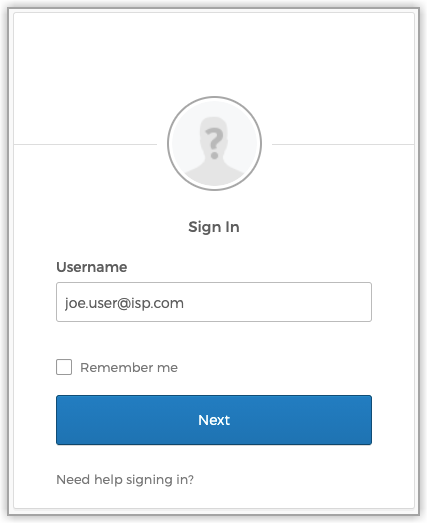
Enter your username (typically your full email address) in the Username field.
-
(Optional) Select the Remember Me checkbox to auto-populate your username on subsequent logins.
-
Select the Next button.
-
Enter your password in the Password field.
Supported Web Browsers
Mosaic One supports the latest version of the mainstream browsers listed below.
-
Chrome
-
Firefox
-
Safari
-
Edge
Unsupported Web Browsers
- Internet Explorer
Log out of Mosaic One
When work is completed in the Mosaic One platform, log out to ensure the security and integrity of your system. To log out, perform the following steps:
-
Select your user name in the upper-right corner of the screen. A drop-down list of options appears.
-
Select Logout.

If a manual log out has not been performed by the user, the system will automatically log out a system user after 2 hours of inactivity.